
What are the handles and floats on my Dolphin for?
What to know.
If your Dolphin robot comes with an adjustable handle, read below to see how the different handle configurations work.
How the robot handle is set will affect how the robot advances and cleans along the waterline.
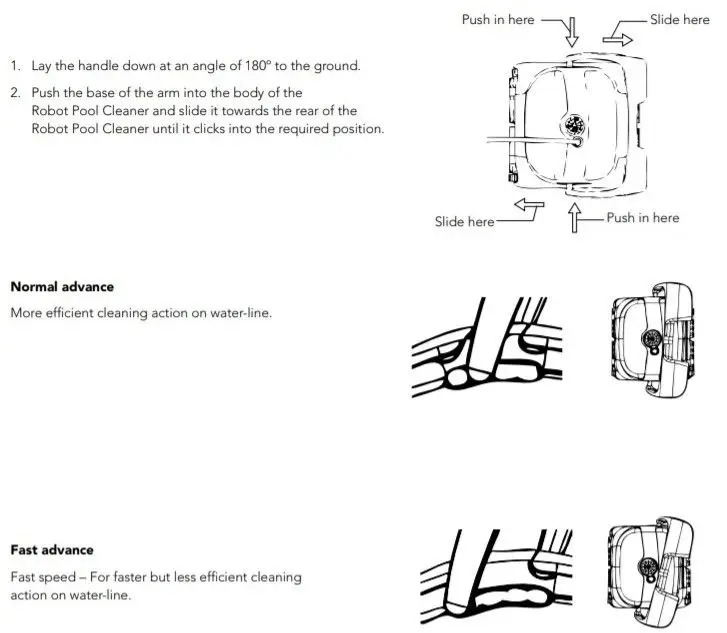
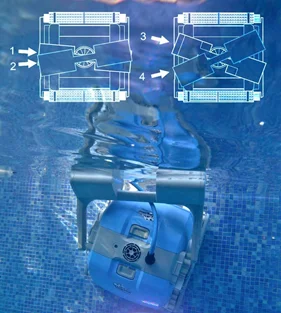
Fast Advance (more surface area covered, less intensive cleaning) - Place each side of the handle on the outer notches. In this configuration, the robot will move faster along the waterline and will cover more surface area, but it won't spend as much time scrubbing the waterline. This handle setting is good for a faster clean.
Normal Advance - Put each side of the handle on the second notch, so that the handle is on a diagonal.
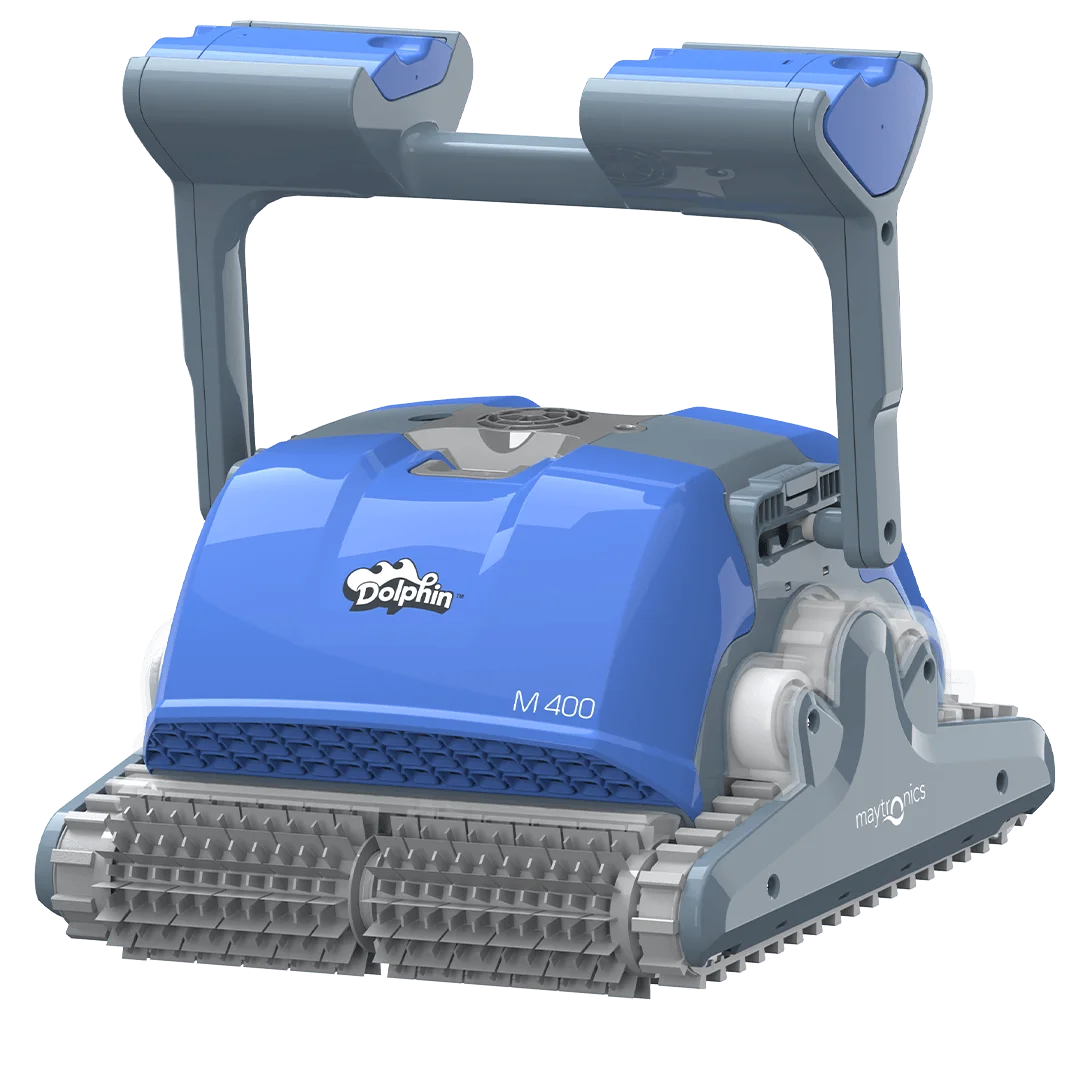
On the M400, the side floats that extend from the sides of the handle help the robot maintain balance while climbing and cleaning the waterline.
Click for a picture of different handle configurations
Source: Maytronics support. Rewritten for clarity with the same steps; the videos and illustrations are Maytronics' own.
Parts that fix this.
This answer comes down to cables & swivels. The exact part depends on the model: choose your robot and we open its parts list, or browse the category for every model.
Browse by category:Cables & Swivels All genuine Dolphin parts →
This answer on your robot.
Maytronics tags this answer for the 11 models below.