
Support answer · Using Your Robot
Where do I find the serial number of my Maytronics cleaner?
What to know.
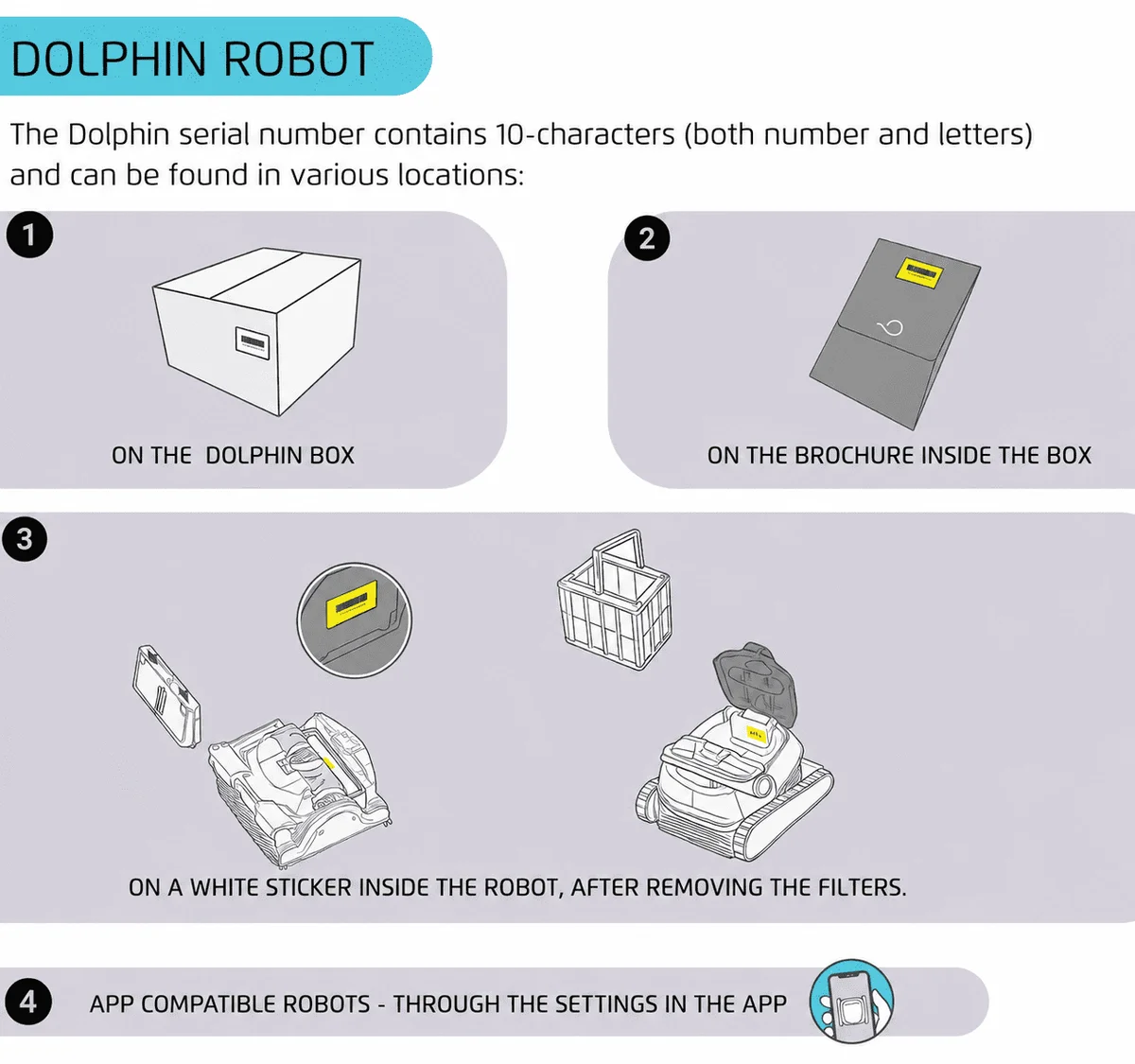
The serial number of the Dolphin robot is a 10-digit number that can be found inside the robot on a white sticker.
If your filter opening is on the bottom of the robot:
- Turn your Dolphin upside down and remove the filter(s).
- Look for a white label (sticker). This label has your robot's serial number on it.
If your filter opening is on the top of the robot:
- Open the top lid and remove the filter(s).
- Look for a white label (sticker). This label has your robot's serial number on it.
If the serial number is not accepted during the registration process, verify that the characters are entered correctly.
Do you have a Skimmi™? Where do I find my Skimmi serial number?
Source: Maytronics support. Rewritten for clarity with the same steps; the videos and illustrations are Maytronics' own.
Parts that fix this.
This answer comes down to filters. The exact part depends on the model: choose your robot and we open its parts list, or browse the category for every model.
Browse by category:Filters All genuine Dolphin parts →
Talk to someone who knows Dolphins.
Talk to a Dolphin specialist
Live chat about this question, a part number or a fix. Real people, no bots.
Start a chat
Find an authorized dealer
1,200+ Dolphin service dealers across the US for repairs, parts and warranty work.
Find a dealer
Warranty and repairs
What the Maytronics warranty covers, how to register and how a repair claim works.
Warranty details