
The Best Robotic Pool Cleaners for Unattended Cleaning While You Work or Sleep
A robot that runs with nobody home has to start itself, steer itself, keep its cable untwisted and say when its filter is full.
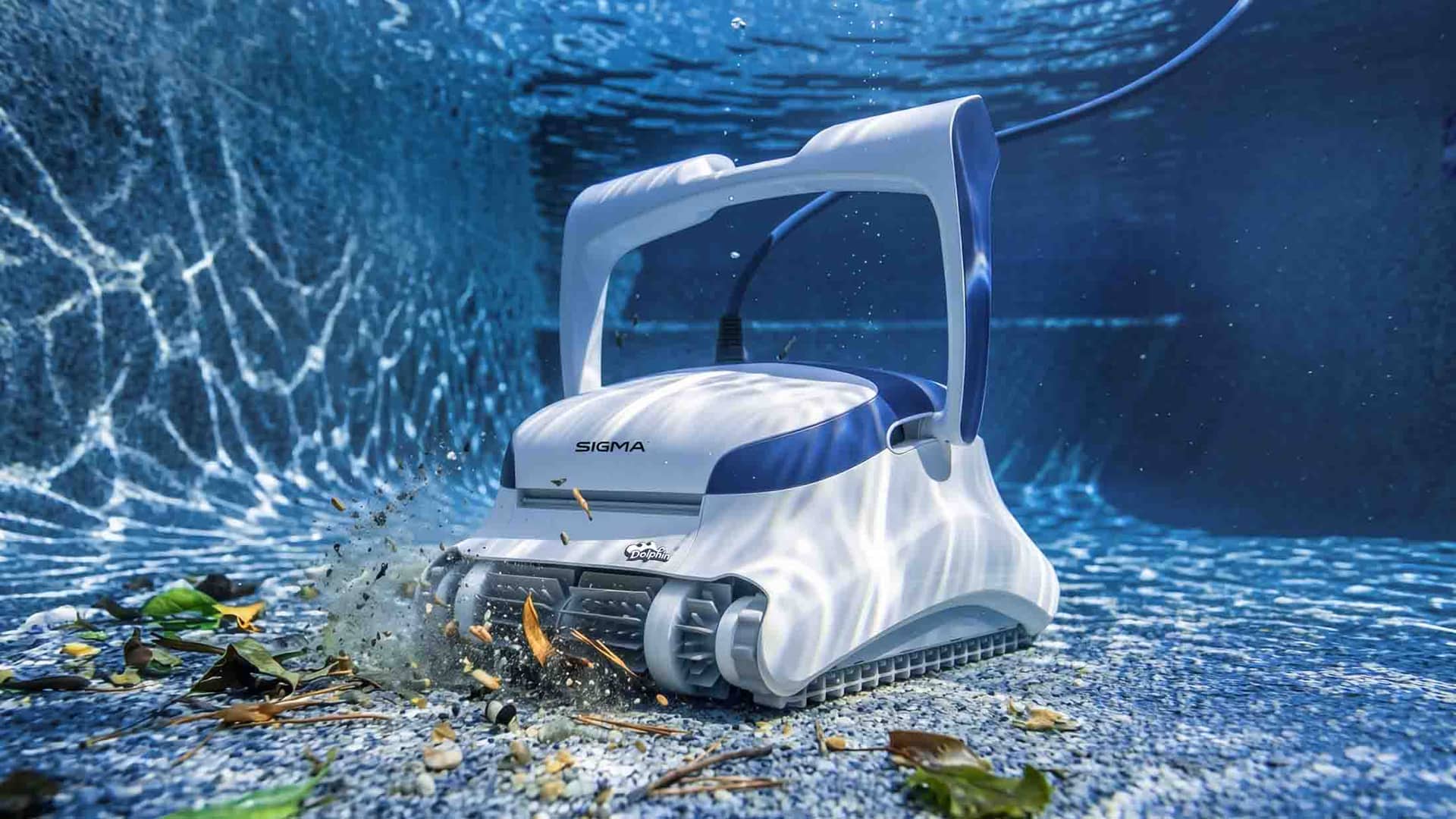
Our first choice for unattended cleaning is the Dolphin Sigma: it runs on a weekly schedule set in its app, steers with a gyroscope, has a 360-degree swivel on its cable, and sends a filter alert to your phone. Pick the Dolphin Quantum instead if you want a timer that works with no phone alongside app alerts, and a larger basket for the days nobody checks.
The appeal of a robot is that it works when you are not there. The risk is the same thing. If the cable knots, the robot stalls at the main drain, or the filter fills on day two, nobody is there to notice. The best robotic pool cleaner for unattended cleaning is the one least likely to need rescuing.
So we ranked the Dolphin range on four safeguards: a timer or scheduler, navigation that copes with obstacles, an anti-tangle swivel on the cable, and a signal when the filter is full. Three robots have all four, the Dolphin Premier among them. The Dolphin Cayman starts and steers itself and makes our list for simpler pools.
Our picks for cleaning with nobody home
Ranked for this job, with today’s price on every card. Each robot ships free and carries the full manufacturer warranty.

Least likely to need rescuing
Dolphin Sigma
The Sigma has every safeguard on our list and the most developed version of each. Its weekly scheduler sets days and times in the myDolphin Plus app, so it can run on weekdays while you are at work and skip the weekend when the pool is busy. SmartNav 3.0 with an onboard gyroscope holds its line through a cycle, the 55 ft cable turns on a 360-degree swivel, and a filter alert reaches your phone when the cartridges need emptying. Its 2.5-hour cycle covers floor, walls and waterline, and the warranty runs 3 years.
- Best for
- Owners who are out all day and want to hear from the robot without walking to the pool.
- Keep in mind
- Highest price of the five, and the schedule and alerts live in the app, so it suits owners happy to manage it by phone.
Temporarily out of stock. Ships free from our warehouse

Two ways to schedule, and the roomiest basket
Dolphin Quantum
The Quantum backs itself up. The power-supply timer needs no phone or Wi-Fi and offers three intervals, every day, every 2 days or every 3 days, and the myDolphin Plus app adds scheduling, cleaning modes and alerts when Wi-Fi is available. SmartNav 2.0 senses ladders and drains, the 55 ft cable has an anti-tangle swivel, and the XXL MaxBin basket, with over 400 square inches of filter area, gives the most margin of these picks before a full filter becomes the problem.
- Best for
- Households that want app alerts but do not want the schedule to depend on Wi-Fi.
- Keep in mind
- It has no gyroscope, and its warranty is 2 years where the first and third picks carry three.
Temporarily out of stock. Ships free from our warehouse

Runs unattended with no phone at all
Dolphin Premier
The Premier handles unattended cleaning the plain way, and handles it well. The timer on the power supply repeats every day, every 2 days or every 3 days. The 55 ft cable has a 360-degree anti-tangle swivel. A full-filter indicator on the power supply shows when it needs emptying. For pools that collect leaves while you are out, the oversized leaf bag in its Multi-Media set buys extra days. It sits third only because nothing reaches you remotely.
- Best for
- Owners who want a dependable routine with nothing to install, and pools that take on leaves between checks.
- Keep in mind
- No alerts away from the pool, and a 3-hour cycle, the longest here, so start it early if the pool is used in the afternoon.
Temporarily out of stock. Ships free from our warehouse

Daily timer for simpler pools up to 33 ft
Dolphin Cayman
The Cayman covers the first requirement with a timer that runs every day. In a straightforward pool of 33 ft or less, in-ground or above-ground, that is enough to keep the floor and walls clean while you are at work, and its published obstacle list covers steps, ladders, drain covers and ledges. What it lacks are the other two safeguards: the 50 ft cable has no swivel, and no filter-full signal is listed. Lay the cable out straight when you put the robot in, and empty the top-hatch basket on a fixed day.
- Best for
- Simple rectangular or oval pools up to 33 ft, with an owner who looks in once a week.
- Keep in mind
- No swivel, no app alerts and no waterline cleaning. Daily is the only timer setting, so the basket needs a regular look.
Temporarily out of stock. Ships free from our warehouse
What has to go right when nobody is watching?
-
The cycle has to begin
A missed start is the quietest failure. A timer on the power supply keeps its routine with no phone or Wi-Fi, which is what the Premier, Quantum and Cayman use. The Sigma's weekly scheduler is set by day and time in its app.
-
It has to steer around what is in the pool
All five Dolphins use SmartNav scanning. The Quantum's SmartNav 2.0 senses ladders and drains. The Sigma's SmartNav 3.0 adds an onboard gyroscope. No obstacle list is published for the Escape, so we are more cautious about it in a busy pool.
-
The cable must not knot
A twisted cable shortens the robot's reach a little more each cycle, until it cannot get to the far end. The Sigma and Premier have a 360-degree anti-tangle swivel on a 55 ft cable, and the Quantum has an anti-tangle swivel on the same length. The Cayman and Escape have no swivel.
-
It has to report a full filter
A full filter is the failure you cannot see from the kitchen window. Two robots tell your phone: the Sigma with a filter alert in its app, the Quantum with app alerts over Wi-Fi. The Premier's signal is a full-filter indicator on the power supply, so it needs no phone but does need you to look. No filter signal is listed for the Cayman, so you work to a routine.
Unattended-cleaning specs compared
The robots ranked above, spec for spec, with today’s price on each.
| Specification | Dolphin Sigma | Dolphin Quantum | Dolphin Premier | Dolphin Cayman |
|---|---|---|---|---|
| Price today | ||||
| Power | Corded, plugs into a standard outlet | Corded, plugs into a standard outlet | Corded, plugs into a standard outlet | Corded, plugs into a standard outlet |
| Scheduling | Weekly scheduler by day and time | Weekly timer: every day, every 2 days or every 3 days | Weekly timer: every day, every 2 days or every 3 days | Timer: every day |
| App | myDolphin Plus (Wi-Fi and Bluetooth) | myDolphin Plus (Wi-Fi) | No app; controls on the power supply | No app; controls on the power supply |
| Robot weight | 24.6 lb | 18.3 lb | 20.3 lb | 14.6 lb |
| Filter access | Cartridges | Top-load, one-click open | Top-load, no tools | Top hatch, one-tab emptying |
| Cycle time | 2.5 hours | 2 hours | 3 hours | 2 hours |
| Cleans | Floor, walls and waterline | Floor, walls, waterline, sun shelves and stairs | Floor, walls and waterline | Floor and walls |
| Warranty | 3 years | 2 years | 3 years | 2 years |
| Details | See the Sigma (Dolphin Sigma) › | See the Quantum (Dolphin Quantum) › | See the Premier (Dolphin Premier) › | See the Cayman (Dolphin Cayman) › |
Which safeguards does each pick have?
Set side by side, the picks separate on the last two rows. All four start themselves and all four navigate by scanning. The difference shows on a bad day: a cable that has twisted, or a basket that filled after a windy night. Three of the four have a swivel to prevent the first and a signal to report the second. Match the table to how often you will realistically look at the pool, not how often you intend to.
| Safeguard | Sigma | Quantum | Premier | Cayman |
|---|---|---|---|---|
| Starts itself | App scheduler by day and time | Power-supply timer, plus app | Power-supply timer | Power-supply timer, every day |
| Navigation | SmartNav 3.0 with gyroscope | SmartNav 2.0, senses ladders and drains | SmartNav 2.0 | SmartNav 2.0 |
| Cable | 55 ft, 360-degree swivel | 55 ft, anti-tangle swivel | 55 ft, 360-degree swivel | 50 ft, no swivel |
| Filter-full signal | Alert in app | Alerts in app | Indicator on power supply | None listed |
How should you set up a robot that runs while you are out?
Do the first run with you watching. Site the power supply so the cable reaches the far end with slack, keeping it as far from the water as your manual specifies, and watch one complete cycle. You are looking for three things: that the robot reaches every wall, that it gets past the ladder and the main drain without stalling, and that the cable is not winding up. Fix what you see before you hand over to the timer.
Then choose a time when the pool is empty of people. Nobody swims while a robot is running, so early morning or school hours are the natural slots.
What still needs a person?
Unattended is not the same as unmaintained. A scheduled robot is meant to live in the pool between cycles, but it still comes out to have its filter emptied and rinsed, at least weekly and more often when leaves are falling. It also comes out ahead of any shock treatment or chemical dose. The Dolphin Escape deserves a mention here: fitted with the optional Automation Timer power supply it repeats on a 24, 48 or 72-hour interval, but its 40 ft cable has no swivel, so we would keep it to simple above-ground pools.
Before you trust the timer
- Uncoil the whole cable and lay it along the deck before the first cycle. Kinks left from the box turn into tangles.
- Take toys, floats and anything on a tether out of the pool, so the cable has nothing to wrap around.
- Look at the cable each time you empty the filter. If it has begun to twist, straighten it before it shortens the robot's reach.
- After heavy wind or a storm, empty the filter the same day instead of waiting for an alert.
Unattended cleaning: what owners ask
Can I schedule unattended cleaning overnight?
Yes. Night and early morning suit unattended cleaning, because nobody is swimming. The Sigma's scheduler sets the start time in its app. With a timer on the power supply, check your manual for how the start time is fixed, then set it so the cycle ends before the first swim of the day.
Can people swim while the robot is running?
No. Treat it as a firm rule: nobody is in the water during a cycle. Schedule runs for hours when the pool is empty, and tell the household when those are. If someone wants to swim, stop the cycle and lift the robot out first.
What happens if the robot gets stuck with nobody there?
Usually nothing dramatic: it stops making progress and the cycle ends with part of the pool uncleaned. Typical causes are a twisted cable, a raised drain cover or a ladder with a narrow gap behind it. Gyroscope navigation on the Sigma, ladder and drain sensing on the Quantum, and a swivel cable are all there to cut the odds.
How will I know the filter is full if I am not there?
It depends on the robot. The Sigma and Quantum report through their apps, so the news reaches your phone. The Premier reports with an indicator on the power supply, which waits for you to walk past. With the Cayman, set a fixed day and stick to it.
Should the robot run every day or every few days while I am at work?
Match it to the debris. Daily runs suit pools under trees, because leaves are collected before they pile up. Every 2 or 3 days, which the Premier and Quantum timers offer, is plenty for a screened or lightly used pool. The Sigma lets you choose specific days. The Cayman runs daily only.
How we would choose
Ask how you want to find out that something went wrong. If the answer is your phone, buy the Sigma, or the Quantum if you want a timer that keeps working without Wi-Fi. If a glance at the power supply on your way past is enough, the Premier does the job with nothing to install and a 3-year warranty. If your pool is simple, 33 ft or under, and you check it weekly anyway, the Cayman's daily timer is all the automation you need.
The smartest place to buy your Dolphin

Lowest Price Guarantee
Buy direct from our 10,000+ unit warehouse at unbeatable prices, with price match.

Fast Free Shipping
Ships free from our warehouse, usually within one business day.

30-Day Returns & Warranty
Simple 30-day returns, plus the full manufacturer warranty: 2 or 3 years, by model.

1-on-1 Support
Talk to an in-house Dolphin expert before and after you buy.
Related buying guides
Still deciding?
Compare every Dolphin side by side, or talk to a pool-robot specialist to find your perfect match.