
The Best Robotic Pool Cleaners With Automatic Scheduling, From Timers to Apps
A repeat timer and a real schedule are different things, and which one you need depends on whether the time of day matters at your pool.
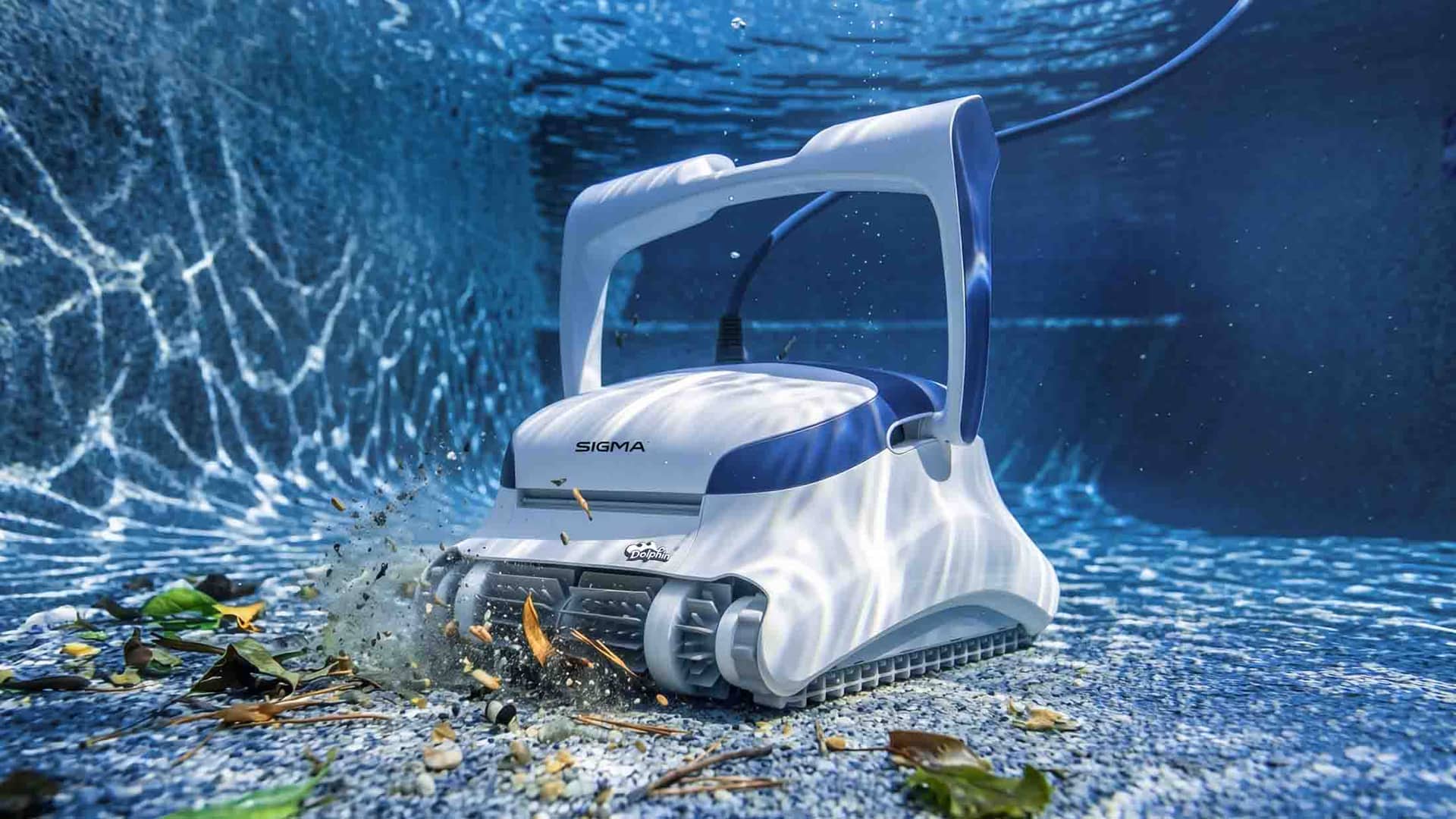
The Dolphin Sigma has the most flexible scheduling of the five Dolphins we compare: a weekly scheduler in the myDolphin Plus app that sets cleaning by day and time. The Dolphin Quantum is the runner-up and the better value, with a three-preset timer on the power supply plus scheduling in its app. Choose the Premier or the Cayman if you want a timer and no phone.
Every robot on this page can clean while you are doing something else. The difference is how much say you get over when. A repeat timer runs a cycle at a fixed interval and leaves it at that. A scheduler lets you choose the days and the hour, so the robot runs late on Tuesday night if that is what suits the pool.
If you are shopping for the best robotic pool cleaner with automatic scheduling, start by deciding which of those you need. Plenty of pools are well served by a timer. Exact timing starts to matter when a pool service comes on a fixed day, when the pump runs on its own clock, or when the pool is busy most afternoons.
Four Dolphins with scheduling, ranked by how much control they give
Ranked for this job, with today’s price on every card. Each robot ships free and carries the full manufacturer warranty.

Most flexible: pick the days and the time
Dolphin Sigma
The Sigma's spec sheet is the one that spells out a weekly scheduler by day and time. You build the week in the myDolphin Plus app, which connects over Wi-Fi and Bluetooth, so the robot can run Monday, Wednesday and Saturday at the hour you choose. The app also raises a filter alert and takes Siri voice commands. Behind the schedule sits the strongest hardware here: three ProLine motors at 4,500 GPH, quad scrubbing brushes and gyroscope-guided SmartNav 3.0.
- Best for
- Owners whose week has fixed points, such as a service day, and who are happy to manage the robot from a phone.
- Keep in mind
- The schedule lives in the app, so you need a phone. It is the highest-priced and, at 24.6 lb, the heaviest of the five Dolphins we compare.
Temporarily out of stock. Ships free from our warehouse

Two ways to schedule: a timer button and an app
Dolphin Quantum
The Quantum gives you a choice the others do not. Its power supply carries a weekly timer with three presets, every day, every 2 days or every 3 days, which works with no phone and no Wi-Fi. Its myDolphin Plus app, over Wi-Fi, adds start, stop, scheduling, cleaning modes and alerts. If the router drops or a house-sitter takes over, the timer still does its job. The XXL MaxBin basket, with over 400 square inches of filter area, goes longer between emptyings.
- Best for
- Owners who want app scheduling but also a schedule that keeps running with the phone switched off.
- Keep in mind
- The app connects over Wi-Fi, so check the signal where the power supply will sit. The warranty is two years.
Temporarily out of stock. Ships free from our warehouse

Set-and-forget timer, no phone needed
Dolphin Premier
The Premier schedules the old-fashioned way, and for many pools that is the right way. A weekly timer on the power supply repeats the cycle every day, every 2 days or every 3 days. There is nothing to pair, nothing to update and nothing that depends on a signal reaching the equipment pad. A full-filter indicator on the power supply tells you when to empty. It ranks third because an interval is not a calendar: you cannot name the days.
- Best for
- Owners who want reliable repeat cleaning set once at the power supply, backed by a 3-year warranty.
- Keep in mind
- Three interval presets, with no choice of weekdays and no phone control. The 3-hour cycle is the longest here, so allow for it in a short window.
Temporarily out of stock. Ships free from our warehouse

Daily cleaning at the lowest price of the four
Dolphin Cayman
The Cayman's scheduling is the simplest of all: one timer setting, on the power supply, that repeats the 2-hour cycle every day. That sounds limited, and for a pool that needs rest days it is. For a pool under trees, a clean floor every morning is exactly the brief. It needs no phone, it is the lowest-priced of the four picks, and it is the one pick here rated for above-ground pools as well as in-ground ones, up to 33 ft.
- Best for
- Pools up to 33 ft, in-ground or above-ground, that want a clean floor every day without paying for an app.
- Keep in mind
- Every day is the one setting, with no way to skip days. It cleans floor and walls but not the waterline, and its cable has no swivel.
Temporarily out of stock. Ships free from our warehouse
What separates a schedule from a timer?
-
Days and times, or just an interval
An interval timer repeats: daily, every 2 days or every 3 days. A weekly scheduler lets you name the days and set the hour. If your week has a pattern, such as a Thursday service visit, only the second can follow it.
-
Where you set it
Some schedules live in a phone app and need a wireless link to the power supply. Others are a button on the power supply itself. The button is quicker to learn and immune to Wi-Fi trouble. The app does more.
-
What happens between cycles
A scheduled robot waits in the water, so it should be a model made for that, with a filter large enough to last several cycles and some way of telling you when it is full.
-
Cycle length against your window
Cycles here run from 2 to 3 hours. If the only quiet window is short, between the pump shutting off and the first swimmers, a 2-hour cycle fits where a 3-hour one may not.
Scheduling and specs across the four picks
The robots ranked above, spec for spec, with today’s price on each.
| Specification | Dolphin Sigma | Dolphin Quantum | Dolphin Premier | Dolphin Cayman |
|---|---|---|---|---|
| Price today | ||||
| Cleans | Floor, walls and waterline | Floor, walls, waterline, sun shelves and stairs | Floor, walls and waterline | Floor and walls |
| Scheduling | Weekly scheduler by day and time | Weekly timer: every day, every 2 days or every 3 days | Weekly timer: every day, every 2 days or every 3 days | Timer: every day |
| App | myDolphin Plus (Wi-Fi and Bluetooth) | myDolphin Plus (Wi-Fi) | No app; controls on the power supply | No app; controls on the power supply |
| Filtration | NanoFilters and standard filter cartridges | XXL MaxBin basket with standard and NanoFilter panels | Multi-Media: NanoFilters, oversized leaf bag and standard fine filters | MaxBin basket with fine panels; NanoFilter panels optional |
| Brushes | Quad scrubbing brushes | Dual HyperBrush | Dual scrubbing brushes | HyperBrush |
| Navigation | SmartNav 3.0 with gyroscope | SmartNav 2.0 | SmartNav 2.0 | SmartNav 2.0 |
| Cable | 55 ft with 360° anti-tangle swivel | 55 ft with anti-tangle swivel | 55 ft with 360° anti-tangle swivel | 50 ft |
| Warranty | 3 years | 2 years | 3 years | 2 years |
| Details | See the Sigma (Dolphin Sigma) › | See the Quantum (Dolphin Quantum) › | See the Premier (Dolphin Premier) › | See the Cayman (Dolphin Cayman) › |
Timer or scheduler: what does each Dolphin let you set?
The table puts all five Dolphins side by side on scheduling alone, including the Escape, which is not a pick on this page. The Escape has no timer as standard. Its optional Automation Timer power supply adds repeat cycles, but as an extra purchase it sits behind four robots that schedule out of the box. One point applies to every interval timer: the time of day is normally fixed by when you set it, not chosen from a clock, so check the manual for how your model handles it.
| Robot | How it schedules | What you can set | Phone needed |
|---|---|---|---|
| Dolphin Sigma | Weekly scheduler in the myDolphin Plus app | Days and times | Yes |
| Dolphin Quantum | Timer on the power supply, plus app scheduling | Interval on the timer; more in the app | No for the timer |
| Dolphin Premier | Timer on the power supply | Every day, every 2 days or every 3 days | No |
| Dolphin Cayman | Timer on the power supply | Every day only | No |
| Dolphin Escape | Optional Automation Timer power supply | Every 24, 48 or 72 hours | No |
When does exact timing matter?
Three situations make the hour, and sometimes the day, worth controlling.
- Overnight: the pool is empty, the water is still and the robot is out of sight. A scheduler starts it at the hour you name; an interval timer needs setting at the right moment.
- After the pool service visit: brushing leaves fine debris to settle, and a robot that runs a few hours later collects it. The robot should be out of the water while chemicals are added. A fixed weekly visit is something only a day-and-time schedule can follow.
- While the pump is off: with circulation stopped, suspended dirt drops to the floor where a robot can reach it, and nothing pushes the robot around. If your pump runs on a clock, put the robot inside its off hours.
What does scheduling not take off your hands?
A schedule automates the start button and nothing else. The filter still fills. Lift the robot out and rinse the basket or cartridges at least once a week, more often in leaf season, because a robot that runs on time with a packed filter is only going through the motions.
Take the robot out before shocking the pool or adding chemicals, then put it back and let the schedule resume. Scheduled robots are made to stay in the water between cycles, but the pool is not permanent storage: when it will sit unused for a long stretch, store the robot dry and out of direct sun.
How we would set up a schedule
- Decide the time first. Find the hours when the pool is empty and, ideally, the pump is off, and make sure a 2 to 3 hour cycle fits inside them.
- For app scheduling, stand where the power supply will sit and check your phone's Wi-Fi signal there before you buy.
- Start with more frequent cycles than you think you need, look at how full the filter is after a week, then stretch the interval.
- Put a weekly reminder on your own calendar to empty the filter. The schedule will not do that part.
Scheduling questions from pool owners
Do I need Wi-Fi for a robot to clean on a schedule?
No. The timers on the Premier, Quantum and Cayman are set on the power supply and need no phone or Wi-Fi. A wireless connection is needed for the app scheduling on the Sigma and Quantum, which is what lets you choose particular days and times and change them from your phone.
Can the robot stay in the pool between scheduled cycles?
Yes. A robot on a timer or an app schedule is made to wait in the water from one cycle to the next. Lift yours out at least weekly to empty and rinse the filter. If the pool will sit unused for a long stretch, store the robot dry and out of the sun.
Does the Cayman's timer let me skip days?
No. It has one setting and it runs every day. If you want rest days built in, look at the Quantum or Premier, whose timers offer longer intervals, or the Sigma, which schedules by day and time.
Should the robot run while the pool pump is running?
It can, but we prefer the pump off. With the water still, fine debris settles on the floor where the robot collects it, and nothing pushes the robot or its cable around. If your pump runs on a clock, set the robot for the pump's off hours.
Can I add scheduling to the Dolphin Escape?
Yes, with the optional Automation Timer power supply, which repeats cycles every 24, 48 or 72 hours. It is an extra purchase, so if you already know you want the best robotic pool cleaner with automatic scheduling built in, the four picks above are the better starting point.
How to choose in one minute
Ask whether the hour and the day of the week matter at your pool. If they do, because of a service visit, a pump clock or a busy household, the Sigma's day-and-time scheduler is the tool, with the Quantum's app as the lower-priced route. If all you need is regular cleaning without thinking about it, a timer does it: the Premier or Quantum for a choice of intervals, the Cayman for every day. Compare all models to see live prices side by side.
The smartest place to buy your Dolphin

Lowest Price Guarantee
Buy direct from our 10,000+ unit warehouse at unbeatable prices, with price match.

Fast Free Shipping
Ships free from our warehouse, usually within one business day.

30-Day Returns & Warranty
Simple 30-day returns, plus the full manufacturer warranty: 2 or 3 years, by model.

1-on-1 Support
Talk to an in-house Dolphin expert before and after you buy.
Related buying guides
Still deciding?
Compare every Dolphin side by side, or talk to a pool-robot specialist to find your perfect match.