
The Best Robotic Pool Cleaners With Bluetooth, and the Wi-Fi Alternative
Bluetooth and Wi-Fi do different jobs at a pool, and one Dolphin in our comparison lists both, so this is a short list with a plain reason behind it.
The Dolphin Sigma is the pick: of the five Dolphins we compare, it is the one whose spec sheet states both Wi-Fi and Bluetooth, through the myDolphin Plus app. If your home Wi-Fi reaches the power supply and you mainly want to start and schedule cleaning from anywhere, the Dolphin Quantum does that over Wi-Fi at a lower price. We do not claim Bluetooth for it.
Search for the best robotic pool cleaner with Bluetooth and you will find the word used loosely, often as shorthand for "has an app". It pays to be precise. Bluetooth is a short-range radio link between your phone and the robot's power supply. It works poolside with no router involved. Wi-Fi joins the robot to your home network, which is what lets you reach it from the kitchen, the office or an airport.
Of the five Dolphins our team compares side by side, one lists Bluetooth, one runs its app over Wi-Fi alone, and three have no wireless control at all. That makes this a two-robot page, and we would rather explain why than pad the list. If Bluetooth itself is what you need, there is one answer. If what you really want is phone control, there are two.
The Bluetooth pick, and the Wi-Fi alternative
Ranked for this job, with today’s price on every card. Each robot ships free and carries the full manufacturer warranty.

The one Dolphin here with Bluetooth and Wi-Fi
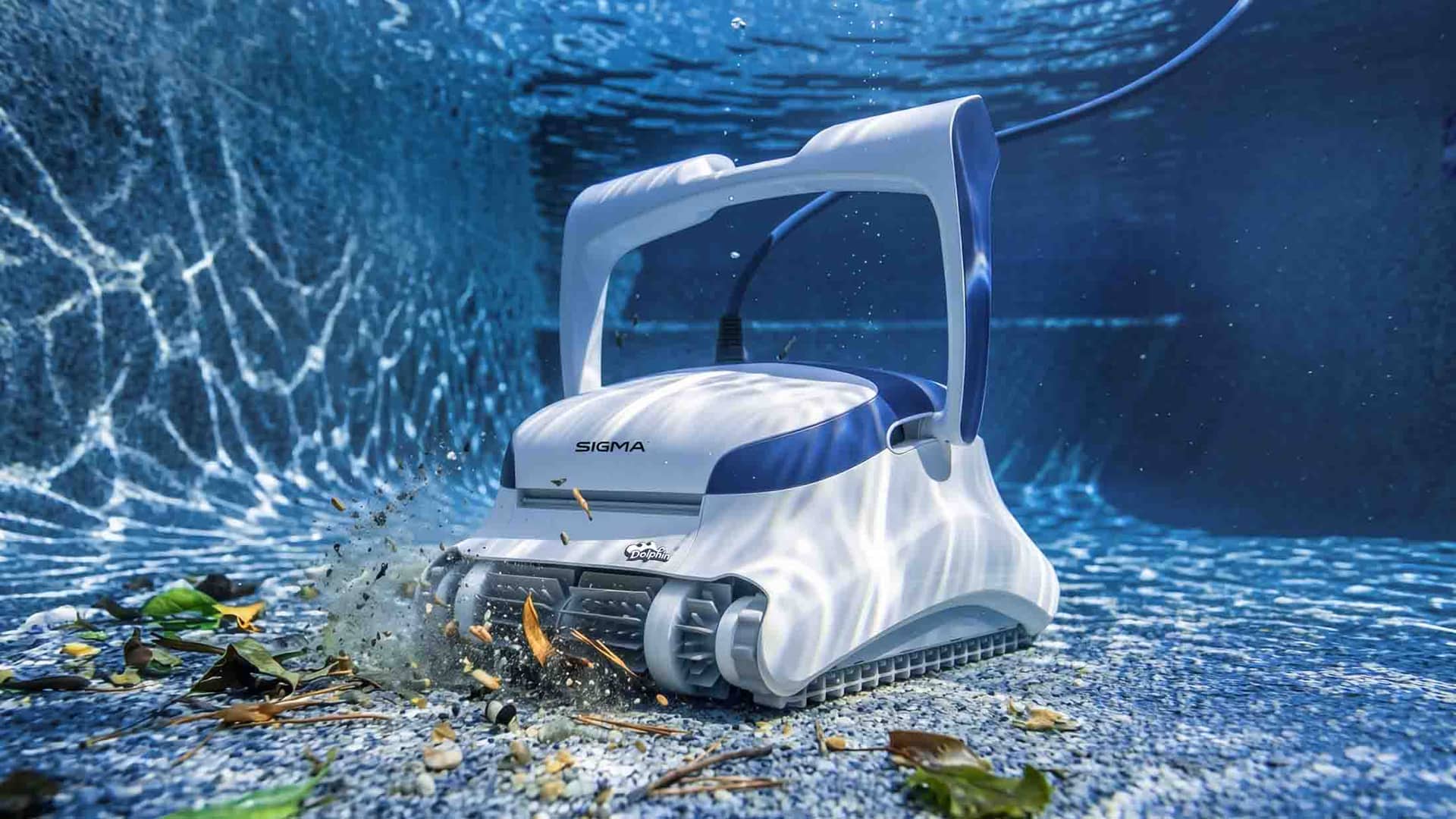
Dolphin Sigma
The Sigma is on this page for a plain reason: its spec sheet states that the myDolphin Plus app connects over Wi-Fi and Bluetooth. That pairing covers both situations an owner meets. Standing by the pool, your phone talks to the power supply directly over Bluetooth, which is how you would set the robot up and control it even if the router's signal never reaches the equipment pad. With Wi-Fi in range, the same app works from wherever you are.
The app is worth connecting to. It holds a weekly scheduler by day and time, raises a filter alert and supports Siri voice control. The robot behind it is the most heavily equipped of the five: three commercial-grade ProLine motors at 4,500 GPH, quad scrubbing brushes, SmartNav 3.0 with an onboard gyroscope, and a 3-year warranty.
- Best for
- In-ground pools up to 50 ft where Wi-Fi at the equipment pad is weak, and owners who want both poolside and remote control.
- Keep in mind
- It costs the most of the five Dolphins in our comparison and, at 24.6 lb, is the most to lift. Bluetooth is short-range: it will not start a cycle from across town.
Temporarily out of stock. Ships free from our warehouse

The Wi-Fi alternative at a lower price
Dolphin Quantum
Be sure what the Quantum is on this page: the alternative, not a second Bluetooth robot. Its myDolphin Plus app runs over Wi-Fi, and we do not claim Bluetooth for it. If your router's signal reaches the power supply, that may be all you need, because Wi-Fi is the link that does the long-distance work: start, stop, scheduling, cleaning modes and alerts from anywhere your phone has a connection.
It also has something useful for the days the wireless side is not cooperating: a weekly timer on the power supply, with presets for every day, every 2 days or every 3 days, that needs no phone at all. Add floor, wall and waterline cleaning in a 2-hour cycle and a dual HyperBrush, and it is the lowest-priced 50 ft robot in our comparison.
- Best for
- Owners with good Wi-Fi at the power supply who want remote start and scheduling without paying for the top model.
- Keep in mind
- No Bluetooth claim, so setup and control depend on Wi-Fi reaching the power supply. The warranty is two years, and it is for in-ground pools only.
Temporarily out of stock. Ships free from our warehouse
What to look for in a robot with Bluetooth
-
What the spec sheet actually states
Buy on what is published. The Sigma's spec lists Wi-Fi and Bluetooth. The Quantum's lists Wi-Fi. We do not stretch either claim, and it is fair to be wary of any listing that says "smart" or "app-enabled" without naming the radio.
-
Whether Wi-Fi reaches your equipment pad
Power supplies often sit near the pool equipment, on the far side of the house from the router. If the signal there is weak, a robot that relies on Wi-Fi is harder to set up and to reach. Bluetooth sidesteps the router entirely when you are standing nearby.
-
Where you will be when you press start
Bluetooth is for the patio: pairing, changing a setting, starting a cycle as you walk past. Starting a cycle from somewhere else, or seeing an alert while away, takes Wi-Fi. Decide which of those you will really do.
-
What the app controls
A wireless link is only as useful as the app behind it. Look at what it adds over a button on the power supply: scheduling by day and time, a filter alert, a choice of cleaning modes, voice control.
Sigma and Quantum, side by side
The robots ranked above, spec for spec, with today’s price on each.
| Specification | Dolphin Sigma | Dolphin Quantum |
|---|---|---|
| Price today | ||
| Cleans | Floor, walls and waterline | Floor, walls, waterline, sun shelves and stairs |
| Scheduling | Weekly scheduler by day and time | Weekly timer: every day, every 2 days or every 3 days |
| App | myDolphin Plus (Wi-Fi and Bluetooth) | myDolphin Plus (Wi-Fi) |
| Filtration | NanoFilters and standard filter cartridges | XXL MaxBin basket with standard and NanoFilter panels |
| Brushes | Quad scrubbing brushes | Dual HyperBrush |
| Navigation | SmartNav 3.0 with gyroscope | SmartNav 2.0 |
| Cable | 55 ft with 360° anti-tangle swivel | 55 ft with anti-tangle swivel |
| Warranty | 3 years | 2 years |
| Details | See the Sigma (Dolphin Sigma) › | See the Quantum (Dolphin Quantum) › |
Bluetooth versus Wi-Fi at the pool: what is each one for?
The two links overlap in what they control and differ in where you have to be. The table sets out the practical differences. Neither is better in the abstract. Bluetooth is the dependable poolside link; Wi-Fi is the one that travels. A robot with both, which here means the Sigma, lets you use whichever suits the moment. We have left exact range figures out on purpose, because range varies with the phone, the walls and whatever stands between you and the power supply.
| Question | Bluetooth | Wi-Fi |
|---|---|---|
| What it connects | Your phone directly to the power supply | The power supply to your home network |
| Needs a router in range | No | Yes, at the power supply |
| Where you can be | Close by, around the pool | Anywhere your phone is online |
| Good for | Setup, poolside start and stop, changing settings | Starting a cycle from elsewhere, alerts while away |
| Dolphins that list it | Sigma | Sigma and Quantum |
How do you check your signal before choosing?
Do this before you buy, because it decides between the two picks. Work out where the power supply will sit: near an outdoor outlet, back from the water by the distance in the manual, and usually close to the pool equipment. Stand there with your phone on the home Wi-Fi and see what you get. Load a page, play a video for a minute.
If the connection is solid, both robots will work as designed and you can choose on price and features. If it is weak or drops, you have three options. Move the power supply to a spot with better signal, if the outlet and the cable length allow. Improve the Wi-Fi coverage outdoors. Or choose the Sigma, whose Bluetooth link does not depend on the router when you are nearby.
What about the Dolphins with no wireless control?
Three of the five have none, and that is not a flaw. The Premier, Cayman and Escape are run from the power supply, with no app, no pairing and nothing to update. The Premier and Cayman still clean on a schedule through timers set on the power supply. If you were drawn to Bluetooth mainly because you wanted the robot to run by itself, a timer may be all you need, and it costs less.
They are not picks on this page because the page is about a wireless link and they do not have one. None of the five has a handheld remote either: on these robots, the phone is the remote.
Getting connected: what we would do
- Install the myDolphin Plus app on your phone before you carry the robot out to the pool.
- Pair while standing next to the power supply. Bluetooth on the Sigma is a close-range link, so make the first connection from right beside it.
- Set a schedule in the app on day one, even if you plan to start cycles by hand. A schedule keeps the pool clean in the weeks you forget.
- Turn on the filter alert where the app offers it, and still look inside the filter every week.
- Keep the power supply back from the water as the manual directs. A better signal is never a reason to move it closer to the pool.
Bluetooth and app questions
Does the Dolphin Quantum have Bluetooth?
Its published spec lists the myDolphin Plus app over Wi-Fi, and that is what we go by, so we do not describe it as a Bluetooth robot. If Bluetooth specifically matters to you, for example because Wi-Fi does not reach your equipment pad, the Sigma is the model here that lists it.
Can I start the robot over Bluetooth when I am away from home?
No. Bluetooth is a short-range link between your phone and the power supply, so it works when you are at the pool. Starting or checking the robot from somewhere else takes Wi-Fi, with the power supply connected to your home network. The Sigma lists both; the Quantum lists Wi-Fi.
Will Bluetooth still work if my Wi-Fi goes down?
On the Sigma, the Bluetooth link runs between phone and power supply and does not pass through your router, so poolside control does not depend on the home network. What you lose without Wi-Fi is reach: you need to be close by. For how each app feature behaves offline, check the manual.
Is there a remote control I can use instead of a phone?
No. None of the five Dolphins we compare has a handheld remote. Control is through the app on the Sigma and Quantum, and through the power supply on the others. If you want the best robotic pool cleaner with Bluetooth so you can start it from a lounge chair, the phone app is the tool for that.
Does Siri voice control work with these robots?
With the Sigma, yes: Siri voice control is listed on its spec sheet alongside the myDolphin Plus app. It is not listed for the Quantum. Treat voice as a convenience on top of the app, and set the schedule in the app itself.
Why are there only two robots on this page?
Because two of the five Dolphins we compare have wireless control, and one of those lists Bluetooth. Padding the list with robots that have no app would not help you. If phone control is not essential, the models with a timer are worth a look, and you can compare all models side by side.
Bluetooth or Wi-Fi: the decision rule
If you need Bluetooth, the answer is the Sigma, because it is the one Dolphin in our comparison that lists it, and it brings Wi-Fi as well. If what you need is phone control and your Wi-Fi reaches the power supply, the Quantum gives you remote start and scheduling for less. If the signal test at your equipment pad fails and the Sigma is outside the budget, a power-supply timer on a simpler robot is the honest fallback. Not sure which describes your yard? Talk to an expert.
The smartest place to buy your Dolphin

Lowest Price Guarantee
Buy direct from our 10,000+ unit warehouse at unbeatable prices, with price match.

Fast Free Shipping
Ships free from our warehouse, usually within one business day.

30-Day Returns & Warranty
Simple 30-day returns, plus the full manufacturer warranty: 2 or 3 years, by model.

1-on-1 Support
Talk to an in-house Dolphin expert before and after you buy.
Related buying guides
Still deciding?
Compare every Dolphin side by side, or talk to a pool-robot specialist to find your perfect match.