
The Best Robotic Pool Cleaners With Remote Control From Your Phone
None of these robots comes with a handheld remote, so remote control now means an app on your phone, and two of the five Dolphins have one.
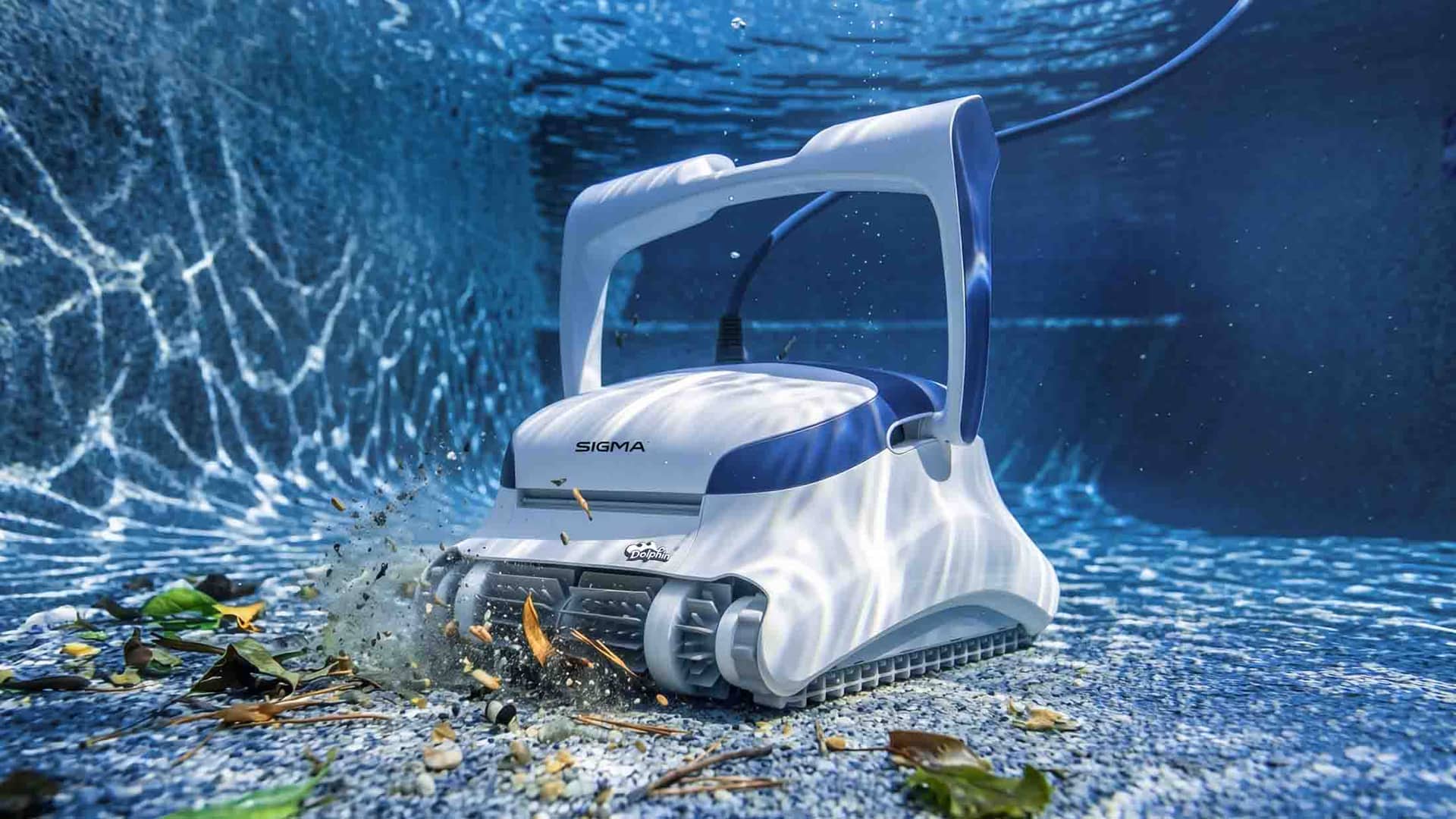
The Dolphin Sigma is the best pick for remote control: its myDolphin Plus app connects over Wi-Fi and Bluetooth, schedules by day and time, sends a filter alert and takes Siri voice commands. The Dolphin Quantum is the lower-priced alternative, with app control over Wi-Fi for start, stop, scheduling, cleaning modes and alerts. Neither comes with a handheld remote or joystick steering.
Let us be straight before anything else. If you want the best robotic pool cleaner with remote control because you picture a handheld remote with a joystick, none of the five Dolphins we compare includes one. Handheld remotes have largely given way to phone apps, and that is what remote control means on this page: starting, stopping, scheduling and checking on the robot from your phone instead of walking out to the power supply.
By that definition, two of the five qualify. The Sigma and Quantum both use the myDolphin Plus app. The Premier, Cayman and Escape have no app at all and are operated at the power supply, which rules them out here however well they clean. Below we compare what each app does, how each connects, and how much you will really use remote control once the novelty wears off.
The two Dolphins you can run from your phone
Ranked for this job, with today’s price on every card. Each robot ships free and carries the full manufacturer warranty.

Most complete app: Wi-Fi, Bluetooth and Siri
Dolphin Sigma
The Sigma offers the fullest remote control of the five. Its myDolphin Plus app connects over both Wi-Fi and Bluetooth, so you have a network connection from indoors and a direct link when you are standing at the pool. The weekly scheduler lets you pick the days and the time of day, the app raises a filter alert when the cartridges need rinsing, and Siri voice control means you can start a clean without opening the app.
Behind the app is the most heavily equipped robot here: three commercial-grade ProLine motors, 4,500 GPH, quad brushes and SmartNav 3.0 with an onboard gyroscope, cleaning floor, walls and waterline in pools up to 50 ft.
- Best for
- Owners who want to run and schedule the robot entirely from a phone, by app or by voice.
- Keep in mind
- The highest price of the five, the heaviest at 24.6 lb, and no manual steering listed in the app.
Temporarily out of stock. Ships free from our warehouse

App control plus a timer that needs no phone
Dolphin Quantum
The Quantum gives you the core of remote control for less. Over Wi-Fi, the myDolphin Plus app starts and stops the robot, sets a schedule, changes cleaning modes and delivers alerts. What makes it a practical choice is the fallback: a weekly timer on the power supply keeps it cleaning with no phone, so a dropped connection or a house-sitter without the app does not stop the routine.
The robot itself cleans floor, walls, waterline, sun shelves, Baja ledges and stairs in in-ground pools up to 50 ft, with a top-load XXL MaxBin basket, and it is the lowest-priced 50 ft robot in this guide. We do not list Bluetooth for it.
- Best for
- Owners who want app start, stop and scheduling at a mid-range price, with a no-phone backup.
- Keep in mind
- Wi-Fi only, so the signal has to reach the poolside; no voice control listed, and no joystick steering.
Temporarily out of stock. Ships free from our warehouse
What to check before buying a robot for its remote control
-
What the app controls
Read the function list, not the word remote. The Quantum's app covers start, stop, scheduling, cleaning modes and alerts. The Sigma's covers a weekly schedule by day and time, a filter alert and Siri voice control. Joystick-style steering is not listed for either, and we will not claim it.
-
How it connects
Wi-Fi runs through your home network; Bluetooth is a direct short-range link between phone and poolside. The Sigma has both, so you still have a connection if the Wi-Fi at the pool is weak. The Quantum connects over Wi-Fi, so check the signal where the power supply will sit.
-
What the robot tells you
Remote control runs both ways. Alerts save a walk to the pool: the Sigma's app flags a filter that needs cleaning, and the Quantum's app sends alerts. Without them, the first sign of a full filter is a pool that still looks dirty.
-
A fallback with no phone
Decide whether you want scheduling that works without the app. The Quantum has a weekly timer on the power supply, set to every day, every 2 days or every 3 days, as well as app scheduling. The Sigma's weekly scheduler is set in the app.
Sigma and Quantum specs compared
The robots ranked above, spec for spec, with today’s price on each.
| Specification | Dolphin Sigma | Dolphin Quantum |
|---|---|---|
| Price today | ||
| Cleans | Floor, walls and waterline | Floor, walls, waterline, sun shelves and stairs |
| Scheduling | Weekly scheduler by day and time | Weekly timer: every day, every 2 days or every 3 days |
| App | myDolphin Plus (Wi-Fi and Bluetooth) | myDolphin Plus (Wi-Fi) |
| Filtration | NanoFilters and standard filter cartridges | XXL MaxBin basket with standard and NanoFilter panels |
| Brushes | Quad scrubbing brushes | Dual HyperBrush |
| Navigation | SmartNav 3.0 with gyroscope | SmartNav 2.0 |
| Cable | 55 ft with 360° anti-tangle swivel | 55 ft with anti-tangle swivel |
| Warranty | 3 years | 2 years |
| Details | See the Sigma (Dolphin Sigma) › | See the Quantum (Dolphin Quantum) › |
What happened to the handheld remote?
Older pool robots often shipped with a small remote for steering the machine around by eye. The phone has replaced it, because an app can do what a remote could not: set a weekly schedule, show alerts and reach the robot from inside the house. Today, not one of the five Dolphins compared here ships with a handheld remote.
It is worth being honest about steering, since it is the feature people picture. Where manual driving exists on a pool robot, owners mostly use it for one thing: sending the robot to spot-clean a single area, such as sand collected under the steps. For the whole pool, the robot's own navigation covers the surface more evenly than a thumb on a screen. If manual driving is what you are buying for, neither robot here lists it.
Why aren't the Premier, Cayman and Escape on this list?
They are good robots that fail this page's one test. The Dolphin Premier, Dolphin Cayman and Dolphin Escape have no app, no Wi-Fi and no Bluetooth; you operate them at the power supply. That does not make them hard to live with.
The Premier has a weekly timer on its power supply and a full-filter indicator beside it. The Cayman has a timer that runs every day. The Escape is started by hand unless you add the optional Automation Timer power supply. For many pools a set-and-forget timer does more day to day than an app would. But a timer is automation, not remote control, and if you want to start a cycle from the couch, these three cannot do it.
How do you set up app control so it works?
Radio signals do not travel well through water, so app control depends on the signal at the poolside equipment, not at the robot on the pool floor. That makes placement the whole game.
- Stand where the power supply will sit and check the Wi-Fi on your phone. If pages load slowly there, the app will struggle too.
- If the signal is poor, move the power supply closer to the house within the cable's reach, or add a Wi-Fi extender near the pool.
- Keep the power supply set back from the water's edge by the distance your manual gives, off the ground and out of puddles.
- Pair the app while standing at the pool, then test start and stop from indoors before relying on a schedule.
How much will you actually use remote control?
Less than you expect for driving, more than you expect for scheduling. The usual pattern is that the schedule runs the robot, an alert says when to empty the filter, and the app comes out for the exceptions. Those exceptions are where it earns its place: an extra cycle after a storm or a pool party, a pause while people are swimming, a change of schedule before a trip.
If that does not sound like your household, consider whether a timer robot would serve you as well for less money. If it does, the choice is simple: the Sigma for the fuller app and voice control, the Quantum for the lower price and the timer backup.
Tips for getting the most from app control
- Set the schedule for hours when nobody swims, and take the robot out before shocking or adding chemicals.
- Turn on notifications for the app so filter and cycle alerts actually reach you.
- After a storm, start an extra cycle from indoors, then empty the filter before the next scheduled run.
- On the Quantum, set the power supply timer as well if your Wi-Fi is unreliable; it runs without the phone.
Remote control questions we get asked
Is there a robotic pool cleaner with remote control in the handheld sense?
Not among the five Dolphins we compare: none includes a handheld remote. Remote control here is through the myDolphin Plus app on the Sigma and Quantum. If a physical remote is essential to you, talk to an expert on our team before ordering, so we can be clear about what each robot can and cannot do.
Can I steer a Dolphin around the pool from my phone?
Do not count on it. The app functions we can confirm are start, stop, scheduling, cleaning modes and alerts on the Quantum, and scheduling, a filter alert and Siri voice control on the Sigma. Joystick steering is not among them. To clean one spot, place the robot there and start a cycle.
Do I need Wi-Fi at the pool for the app to work?
For the Quantum, yes: its app connects over Wi-Fi, so the signal must reach the poolside. The Sigma connects over Wi-Fi and Bluetooth, so you can still control it from close range if the network does not reach. Either way, test the signal at the spot where the power supply will sit before you buy.
Will the robot still clean if my phone is off or the internet is down?
Once a cycle is running, the robot works on its own. The Quantum also has a weekly timer on its power supply that needs no app or network at all. The Sigma's scheduling is set in the app, so check its manual for how stored schedules behave during an outage instead of assuming.
Is there really no app for the Premier, Cayman or Escape?
No. Those three have no app and no wireless connection; they are controlled at the power supply. The Premier and Cayman have built-in timers, and the Escape can be fitted with an optional Automation Timer power supply, so they can still run unattended. They simply cannot be started or checked from a phone.
Our verdict on remote control
If remote control means a handheld remote or joystick driving, no robot on this page delivers it, and we would sooner say so than sell you the wrong machine. If it means running, scheduling and monitoring the robot from your phone, buy the Sigma for the fullest version: Wi-Fi, Bluetooth, day-and-time scheduling, a filter alert and Siri. Buy the Quantum if start, stop and scheduling over Wi-Fi is enough and you would like a timer that works without the phone. Compare all models for live prices.
The smartest place to buy your Dolphin

Lowest Price Guarantee
Buy direct from our 10,000+ unit warehouse at unbeatable prices, with price match.

Fast Free Shipping
Ships free from our warehouse, usually within one business day.

30-Day Returns & Warranty
Simple 30-day returns, plus the full manufacturer warranty: 2 or 3 years, by model.

1-on-1 Support
Talk to an in-house Dolphin expert before and after you buy.
Related buying guides
Still deciding?
Compare every Dolphin side by side, or talk to a pool-robot specialist to find your perfect match.