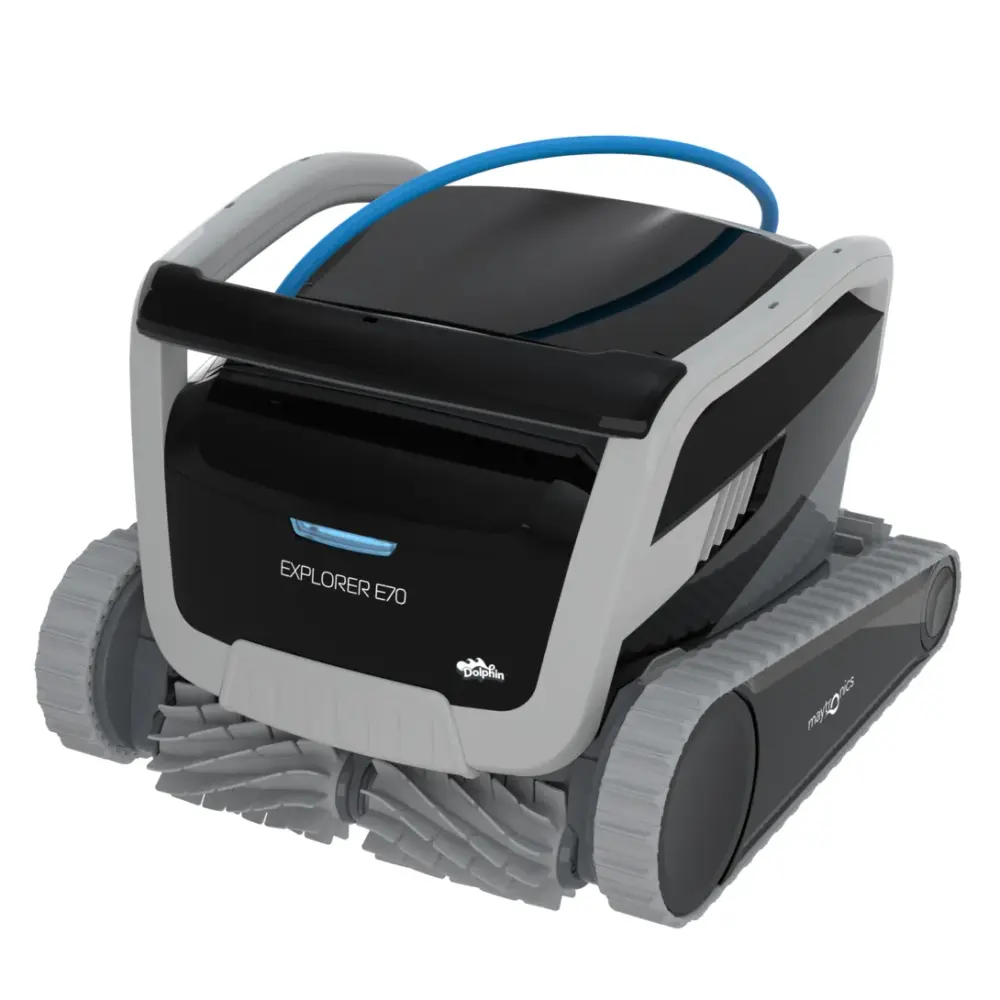
Dolphin Explorer E70 warranty.
The Dolphin Explorer E70 carries a 3-year limited manufacturer warranty from Maytronics, in full when you buy it from an authorized dealer such as RoboticPool. Here is what the warranty covers, how to register, where the serial number is and how a claim works.
- Warranty term
- 3 years
- Backed by
- Maytronics
- Registration
- Free, online
- Power supply
- Replaced, not repaired
- Service
- Dealers & repair centers
Shop the Explorer E7018 replacement partsUser manual (full terms)
3 years of coverage, in plain words.
A Maytronics manufacturer warranty covers defects in materials and workmanship on the robot and its power supply for the term printed on the warranty card (3 years for the Explorer E70). The full conditions are in the user manual (download it here); the points below are the ones owners ask about.
Bought here? Every new Explorer E70 from RoboticPool is sold as an authorized Maytronics dealer with the full manufacturer warranty, free shipping and a 30-day return window.
Register the Explorer E70 once, claim faster later.
Registration is free at Maytronics' portal and puts the robot's details on file, so a warranty claim is verified in minutes and the registration doubles as proof of ownership.
Find the serial number
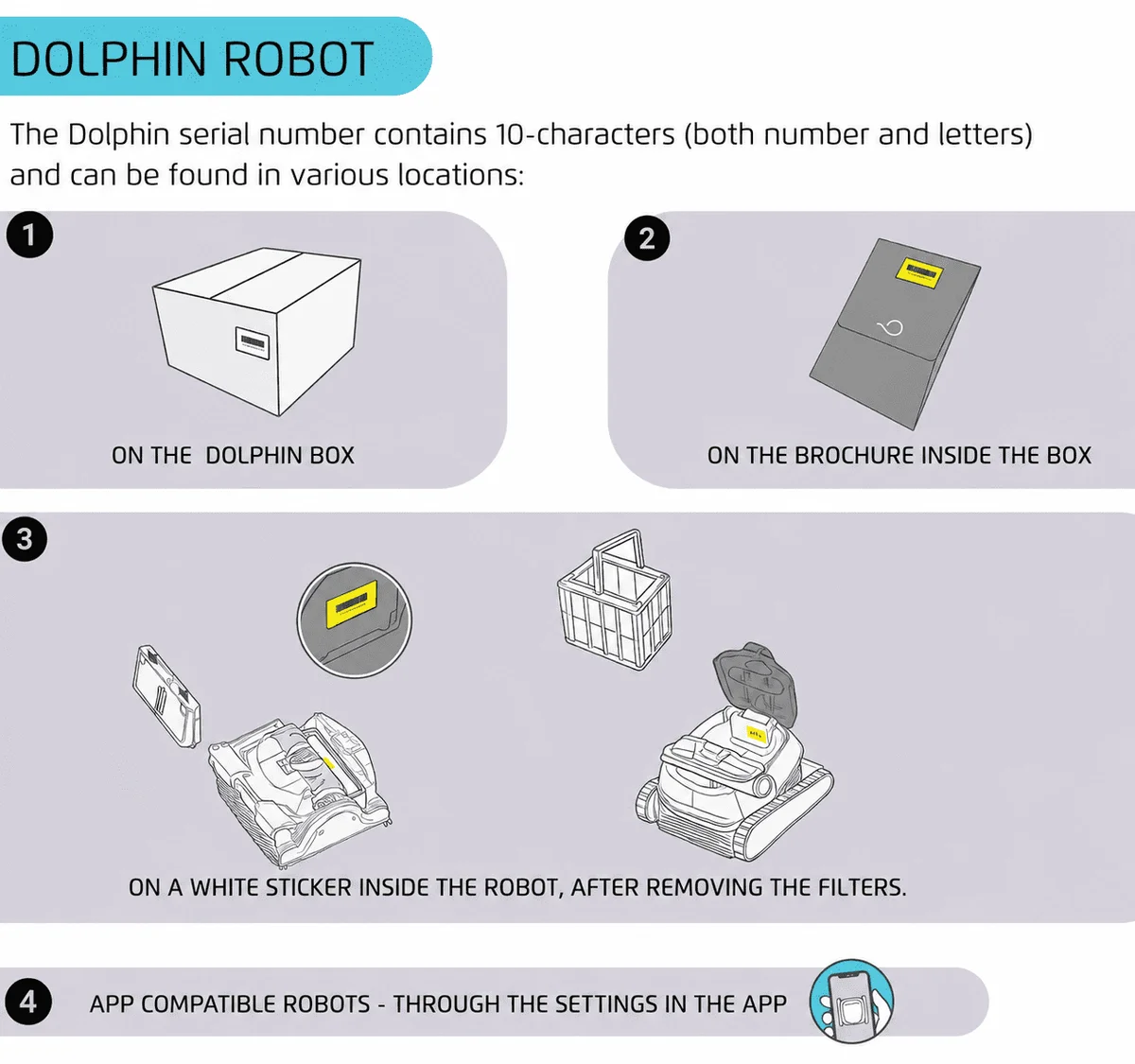
The 10-character serial number is printed on the white label on the outside of the box, on the warranty card, and on the white barcode label inside the robot's casing.
Have the receipt ready
Proof of purchase from an authorized dealer sets the warranty start date. A photo of the receipt is fine.
Register online
Go to registration.maytronics.com, enter the serial number and your details, and upload the receipt if a rebate is also being claimed.
How a warranty claim works for the Explorer E70.
Maytronics asks every owner to troubleshoot before a repair, because most calls are a clogged filter, a blocked impeller or the power supply. Then the path depends on where the robot was bought.
Rule out the simple causes
Work through the Explorer E70 troubleshooting guide: power supply first, then impeller, tracks and filters.
Power supply only?
If the supply will not stay on with the blue cable disconnected, Maytronics replaces the supply under warranty through its self-service claim, with no need to ship the robot.
Bought from a local dealer
Contact that dealer first; many service Dolphins in store. Find a dealer if you need another one nearby.
Bought online
Use Maytronics' self-service tool to open a repair request (RMA). Robots go to one of the regional Master Service Centers in Georgia, Arizona, California, Pennsylvania, Illinois or Canada.
Bought the Explorer E70 from us? Chat with a specialist and we will walk you through the claim.
Warranty questions, answered.
How long is the warranty on my Dolphin?
The warranty length for Dolphin robots varies depending on the model, typically ranging between 12 to 36 months. To verify the exact warranty period for your specific robot model, please visit the product page of your Dolphin robot.
We encourage you to register your robot on our Registration Website to receive exact information about the warranty applicable to your model.
Why should I register my robot?
Registering your Dolphin robotic pool cleaner is a simple step that ensures you get the best possible service and support. By registering your robot, you’ll enjoy the following benefits:
- Faster Warranty Service: If you ever need assistance or repairs, having your robot’s details on file allows us to verify your warranty status and provide efficient service quickly.
- Proof of Ownership: In case of loss, theft, or warranty claims, having your product registered serves as an official record of ownership.
Taking a few minutes to register your Dolphin today ensures you’re covered and ready for worry-free pool cleaning. Register your Dolphin’s warranty now!
How do I register my Dolphin's warranty?Video
You can complete your product registration and rebate submission through our online portal at https://registration.maytronics.com/.
Before you get started, make sure you have your robot’s serial number and your proof of purchase available.
You can find your Dolphin’s 10-character serial number located in these three places:
- On the outside of the box on a white label
- On your warranty card
- On the inside casing of the Dolphin on a white label with a barcode
Follow the steps below to register your product:
-
Go to the registration portal: https://registration.maytronics.com/.
-
Enter your robot’s serial number: Type the serial number into the first field. If you need help locating it, click the “i” icon next to “Where do I find my robot’s serial number?”.
-
Select your previous pool-cleaning method, then click Continue.
-
Enter your personal information:
- As you begin typing your country or state, a dropdown menu will appear. Select the correct option from the list.
- Click Continue to move forward.
- Rebate/Promotion Code Section:
- If you have a rebate or promotion code, enter it in the first field.
- If you do not have a code, leave the field blank and continue by selecting your purchase date.
- You may also add the store name, address, and ZIP code.
- Upload your proof of purchase by selecting “Upload Your Receipt.” Accepted proof of purchase includes:
Preferred: Original receipt or original invoice (must show purchase date, product, and price).
If the original receipt cannot be located:
- A credit card statement or bank statement is acceptable.
- Only the date, merchant/product, and amount should be visible.
- Personal information must be hidden or removed.
-
Agree to the Terms & Conditions, then click Continue.
-
Review your information and click Submit to complete the registration.
To check your Dolphin’s warranty length, visit your model’s product page every Dolphin model. (Warranty lengths vary per model and region.)
Does your Dolphin need to be repaired? run the power supply checks to use our self-service tool to complete a warranty claim (RMA/Return Merchandise Authorization) to repair your Dolphin or to replace the power supply.
Where do I find the serial number of my Maytronics cleaner?
The serial number of the Dolphin robot is a 10-digit number that can be found inside the robot on a white sticker.
If your filter opening is on the bottom of the robot:
- Turn your Dolphin upside down and remove the filter(s).
- Look for a white label (sticker). This label has your robot's serial number on it.
If your filter opening is on the top of the robot:
- Open the top lid and remove the filter(s).
- Look for a white label (sticker). This label has your robot's serial number on it.
If the serial number is not accepted during the registration process, verify that the characters are entered correctly.
Do you have a Skimmi™? Where do I find my Skimmi serial number?
My Dolphin is not working, where can I send it to be fixed?
Maytronics has regional Master Service Centers across North America to provide repair services. These centers are located in Georgia, Arizona, California, Pennsylvania, Illinois, and Canada.
Step 1Troubleshoot your Dolphin
Before proceeding with a repair, we recommend using our troubleshooting tool to diagnose the issue. run the power supply checks to troubleshoot and to complete a warranty claim (RMA/Return Merchandise Authorization) to repair your Dolphin or to replace the power supply.
Step 2Determine where to get service
- If you purchased your Dolphin from a local dealer:
Contact the dealer where you bought your Dolphin from to check if they offer repair services. Use our Dealer Locator to find your nearest Dolphin retailer. - If your local dealer does not offer repairs OR you purchased from an online retailer:
Use our self-service tool to troubleshoot and start a warranty claim for a repair or power supply replacement. Click run the power supply checks to begin.
Step 3Repair Options
- Mail-in or Bring in Your Robot for Repair
If troubleshooting confirms that your Dolphin needs repair, you may ship it with any carrier you choose or take it to your nearest Master Service Center. Click run the power supply checks to start a warranty claim.
Can I order replacement parts for my Dolphin? Can I replace the parts myself?
You sure can!
You can order parts from our website here, or at an authorized Maytronics dealer online or in your area. A local dealer near you
You will need the serial number of your Dolphin robot to identify the parts compatible with your model.
Visit our DIY Repairs section, for step-by-step instructions on replacing parts.
Please note that if your robot is under warranty, attempting to replace some of the parts yourself can void the warranty and is not recommended.
If your power supply is no longer working and you are under warranty, run the power supply checks to submit a warranty claim (RMA) for a replacement power supply through our easy-to-use self-service form!